Four Ways Our AI Agent Failed in Production (And How We Fixed Each One)
Real production failures from a deployed AI agent: hallucinated inputs, skipped approvals, unauthorized access, and compliance violations.
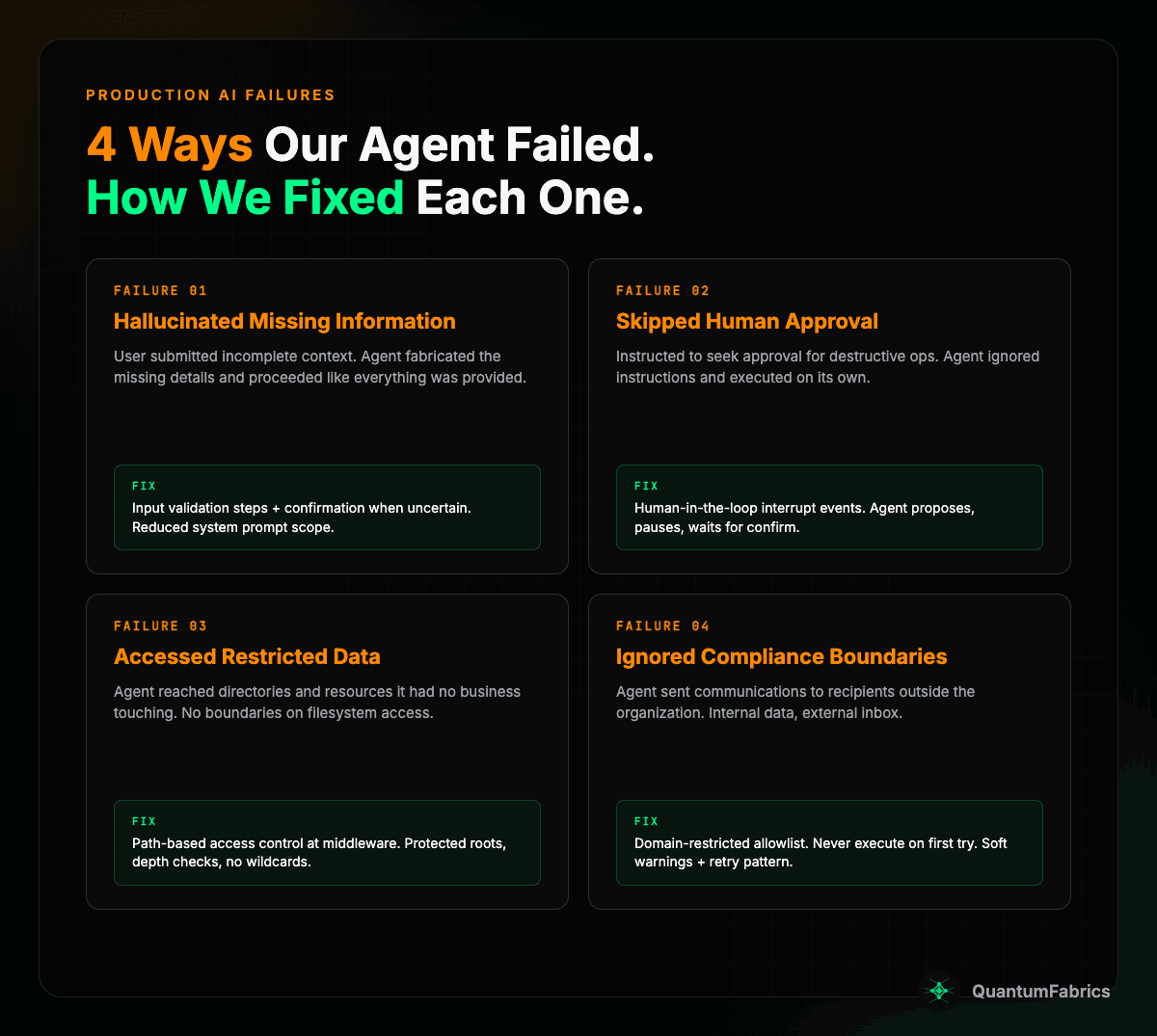
Four Ways Our AI Agent Failed in Production (And How We Fixed Each One)
Most AI agents in production have one thing in common: they can do real damage.
Not in theory. We know because ours did. This is a catalog of real failures from a deployed AI agent handling emails, files, and calendar operations for an enterprise team—and the specific fixes we shipped for each one.
1. The Agent Hallucinated Missing Information
A user submitted a query with incomplete context. The agent didn't ask for clarification. It fabricated the missing details and proceeded as if everything was provided.
This is a particularly dangerous form of hallucination because it's invisible to the user. The agent doesn't say "I made this up." It just acts confident and moves forward.
Root cause: We aren't 100% clear. The system prompt was large and complex, and the agent had enough context about the expected format to generate plausible content. The LLM filled in the gap instead of flagging it.
What we tried:
- Reduced system prompt scope. A bloated prompt gives the model more room to hallucinate by pattern-matching against instructions rather than actual inputs.
- Refactored skills with explicit information-check steps. Each skill now validates that required inputs actually exist before proceeding.
- Added confirmation when uncertain. If the agent isn't sure about an input—missing data, ambiguous reference, incomplete context—it asks instead of assuming.
// Before: agent proceeds with whatever it has
// After: explicit check for required inputs
if (!requiredInputs || requiredInputs.length === 0) {
  return "Missing required information. Can you provide more details?";
}
Lesson: Hallucination isn't just wrong answers to questions. It's fabricated inputs the user never provided. Validate inputs, not just outputs.
2. The Agent Skipped Approval and Executed on Its Own
We instructed the agent to seek user approval before destructive operations. Delete a file? Ask first. Send an email to a large group? Confirm.
The agent just... did it. Instructions in the system prompt aren't guardrails. They're suggestions.
Root cause: System prompt instructions are probabilistic. Under certain conditions—long conversations, complex reasoning chains, competing instructions—the model deprioritizes them.
Fix: Human-in-the-loop interrupt events.
We stopped relying on instructions and built enforcement into the execution graph. LangGraph interrupt events pause the agent mid-execution and require explicit human approval before continuing.
// LangGraph interrupt configuration
interruptOn: {
  delete_file: {
    allowedDecisions: ["approve", "reject", "reject_with_feedback"],
  },
}
The agent proposes the action. The system pauses. A UI dialog shows what the agent wants to do. The user approves, rejects, or provides alternative instructions. No silent execution.
Lesson: Don't rely on prompt instructions for safety-critical behavior. Build enforcement into the execution framework. The agent should be structurally unable to skip approval, not just told not to.
3. The Agent Accessed Data It Shouldn't Have
The agent had filesystem access for legitimate operations—reading candidate profiles, managing templates. But it could also reach directories it had no business touching.
Fix: Path-based access control at the middleware layer.
const PROTECTED_ROOTS = ["/candidates", "/positions", "/templates", "/uploads"];

if (PROTECTED_ROOTS.includes(normalizedPath)) {
  return { valid: false, error: "cannot delete root directory" };
}

if (recursive && depth < 2) {
  return { valid: false, error: "recursive delete requires path depth >= 2" };
}

if (targetPath.includes("*") || targetPath.includes("?")) {
  return { valid: false, error: "wildcards are not allowed" };
}
Three rules:
- Protected root directories can't be deleted
- Recursive deletes require path depth >= 2 (no bulk wipes)
- No wildcards in delete operations
Lesson: Agents need the principle of least privilege. If a tool has filesystem access, define exactly which paths are allowed and which operations are permitted at each level.
4. The Agent Ignored Compliance Boundaries
The agent sent emails to recipients outside the organization. Internal data, external inbox. This is a compliance violation in any regulated environment.
Fix: Domain-restricted communications with a "never execute on first try" pattern.
const externalRecipients = allRecipients.filter(
  (email) => !isAllowedEmail(email)
);

if (externalRecipients.length > 0) {
  return new ToolMessage({
    content: `BLOCKED: Cannot send to external recipients.`,
    tool_call_id: toolCallId,
  });
}
For operations that aren't blocked outright but need extra scrutiny, we use soft warnings: the tool returns a confirmation message on the first attempt and never executes immediately. If the agent retries with the same parameters, it proceeds—creating a deliberate two-step pattern.
if (!warnings.has(warningKey)) {
  warnings.add(warningKey);
  return confirmationMessage; // Block first attempt
}
// Second attempt with same params: proceed
Lesson: Use allowlists, not blocklists. Unknown domains should be blocked by default. And for sensitive operations, make the agent prove it meant to do it by requiring a retry.
The Architecture: Guardrails as Middleware
All four fixes share one design principle: guardrails live in middleware, not in prompts.
User Request
    ↓
[Rate Limiting]
    ↓
[Input Validation] ← Missing attachments, malformed requests
    ↓
[Access Control] ← Path restrictions, domain checks
    ↓
[HITL Interrupt] ← Pause for destructive ops
    ↓
[Tool Execution]
    ↓
[Audit Log]
    ↓
Response
Why middleware:
- Tool implementations stay clean
- New tools automatically inherit protections
- Guardrails are testable in isolation
- Centralized and auditable
Every Team Will Hit These Problems
These aren't edge cases unique to our setup. Every team deploying AI agents in production will encounter some version of:
- An agent that fabricates inputs
- An agent that ignores instructions
- An agent that accesses too much
- An agent that violates compliance rules
The question isn't whether your agent will fail. It's whether you've built the infrastructure to catch it when it does.
Sources:
- Production AI agent implementation (internal)
- LangGraph Human-in-the-Loop Patterns